


Fluid Magic: 3D Live Wallpaper
4.4754.00 Reviews
App Specs
- Version
- 1.8.0
- Updated On
- License
- Free
- Downloads
- 5,000,000+
- Developer
- Maxlabs Personalization Tools
- Categories
- Personalization
- Platform
- Android, iOS
Screenshots
 Analysis by AppCompare
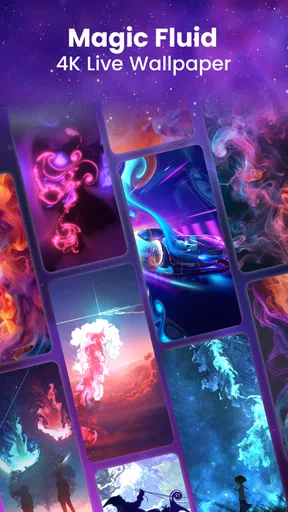
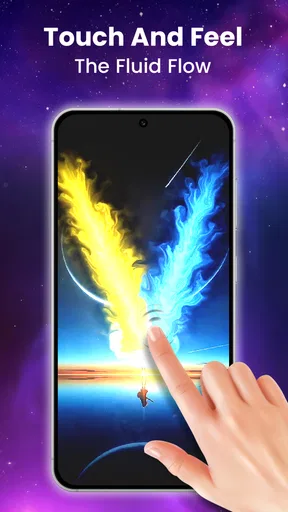
I like live wallpapers most when they make a phone feel a little more personal without turning setup into a project. Fluid Magic: 3D Live Wallpaper is aimed squarely at that mood: it brings animated fluid-style visuals to the screen, with color and movement as the main attraction. If a still background feels dull but elaborate home-screen theming sounds like too much work, this is an easy idea to understand and try.
It is a free personalization app from Maxlabs Personalization Tools, with optional in-app purchases. The current version is 1.8.0, and the app is rated for Everyone. Those details make it approachable, but the bigger question is whether its moving artwork suits the way you actually use your phone. A live wallpaper is something you see in brief moments between tasks, so the best choice is often one that looks good without demanding your attention.
What the current version is best at
The appeal here is visual rather than practical: animated, colorful fluid effects give the home screen more energy than a static image. I would think of it as a small, ambient bit of decoration, not a tool that changes how I use the device. Its strongest use case is for someone who enjoys seeing a little motion when checking the phone, but still wants a fairly direct route from installing an app to choosing a look.
The app has an average rating of 4.6 from around 32,000 ratings and more than 5 million installs. That suggests it has found a broad audience for this particular style of personalization, though popularity alone cannot tell you whether the animation will suit your taste. The important distinction is that fluid visuals are inherently more active than a photograph or a simple gradient; if you prefer a calm, nearly invisible background, the central effect may be exactly what you want to tone down or avoid.
What its release and version tell us
It was released on March 25, 2022, and version 1.8.0 is the current build. That gives the app an established history rather than the feel of a brand-new experiment. It does not, by itself, tell me what changed between versions, so I would not treat the version number as proof of a particular new feature or performance improvement. I would judge the app by what is available on the phone today.
For an existing user, a current version matters most when the wallpaper continues to behave well after an operating-system update or a change of device settings. I would check that the chosen animation remains selected after a restart and that it appears as expected on both the home screen and any other screen where I want it. Those simple checks are more useful than assuming that a newer build automatically means a visible change.
How to make it fit daily use
A good way to choose a fluid wallpaper is to test it during ordinary phone use rather than judging it only on the preview screen. Look at it with your usual icons and widgets in place, then check whether the movement competes with labels or makes notifications harder to notice. If the background draws the eye too much, choose a less intense look or slow the visual pace where the controls allow it. A wallpaper should frame the screen, not make every glance feel busy.
Worth Reading Before You Choose

EA SPORTS FC Mobile 26 Is a Bigger Football Game, but It Takes Time

Flipboard Shows What News Apps Must Do Beyond the Feed

Switching to Android Auto Means Rethinking Your Driving Routine

Google Calendar Makes a Crowded Week Easier to Manage

Ludo King Makes the Most of the Minutes Between Plans

Baby Panda World Brings Quick Play to Modern Phones, but Its Game Library Feels Busy
I would also be deliberate about when to use animation. A bright, lively effect can be fun on a personal phone, while a quieter setup may feel more comfortable in a workplace or during a long reading session. If you share your screen often, consider how the moving colors look behind app icons before settling on a permanent choice. These small checks help you decide whether the effect is enjoyable after the novelty wears off.
Who should choose something else
This app is a better fit for people who actively enjoy animated backgrounds than for anyone seeking a purely functional home screen. If you prioritize the longest possible battery life, use an older device that already feels sluggish, or want a static image that never moves, a regular wallpaper is the more sensible option. Live effects also have a personal quality: one person’s vivid, playful screen can be another person’s visual clutter.
Compared with the usual alternatives in personalization apps, Fluid Magic focuses on fluid motion rather than a photograph, a plain color, or a collection of static illustrations. That focus gives it a clear identity, but it also means it cannot satisfy every style preference. I would pick it when I want movement without building a full theme; I would choose a static wallpaper or a broader launcher-customization option if I wanted coordinated icons, widgets, and a more complete redesign.
Cost is worth considering before you spend time tuning the look. The app is free to install, while in-app purchases range from $2.99 to $39.99 per item. I would start with the free experience and only consider paying if a specific paid option is one I genuinely want. The range is wide enough that checking the price of an individual item before confirming a purchase is a sensible step, especially if you are only looking for a simple animated background.
A practical verdict for your phone
I’d judge Fluid Magic by how comfortably its moving background fits into an ordinary day, not just by how striking it looks when I first set it up. In the next section, I’ll focus on the small choices that make an animated screen easier to live with, then weigh whether that visual lift is worth choosing over a quieter wallpaper.
First impressions
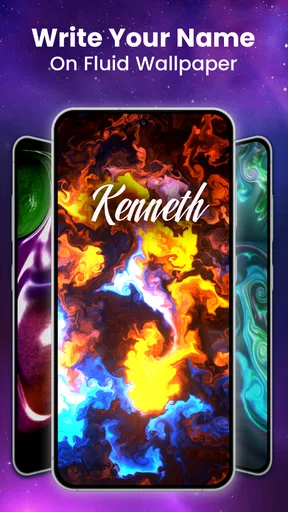
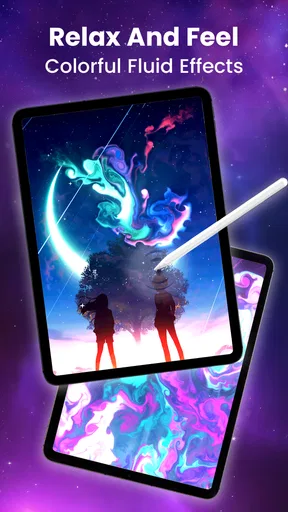
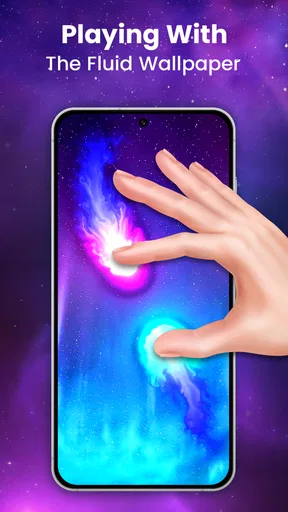
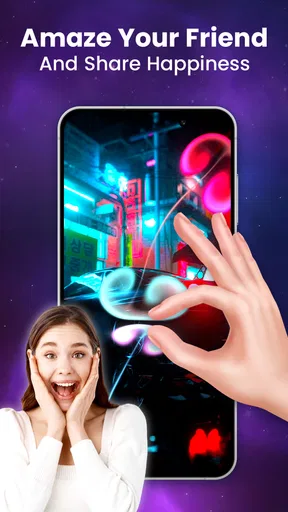
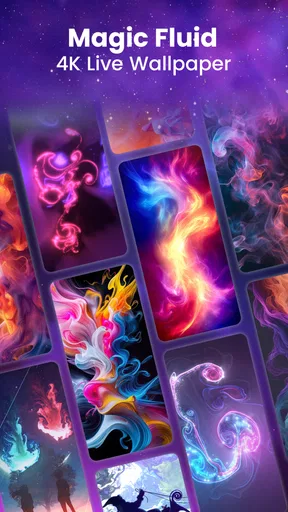
Right off the bat, Fluid Magic: 3D Live Wallpaper is all about eye-catching visuals. Install it, and you're immediately greeted with this dynamic, swirling array of colors that feels like a lava lamp on steroids. It's like having a mini art installation right on your home screen.
The app's setup is pretty straightforward. You download it, and within minutes, you're customizing your wallpaper. The user interface is intuitive, so you don't need to be a tech wizard to get things going. Just a few taps, and you're good to go.
Customization Galore
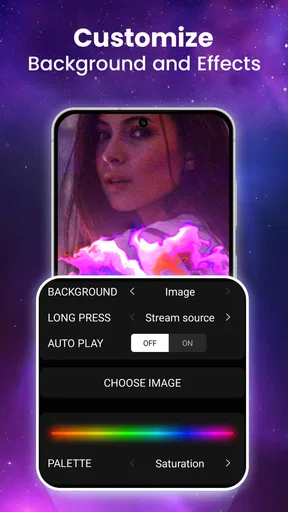
Now, the real magic happens in the customization section. You've got a ton of options to tweak the colors, speed, and patterns. Want something subtle for work? You got it. Looking for something to wow your friends with? Crank up the intensity, and voilà!
One of my favorite features is the ability to set different wallpapers for day and night. It automatically switches based on the time, which is a neat touch. And if you're feeling indecisive, there's a shuffle mode too. It's like giving your phone a little surprise makeover every day.
Performance and Battery Life
Okay, let's talk performance. Live wallpapers can sometimes be a drain on your battery or slow down your phone, but surprisingly, this one runs smoothly. I didn't notice any significant lag or overheating, which is a relief.
As for battery life, it does take a bit more juice than a static wallpaper, but nothing too drastic. If you're someone who's always on the go, you might want to keep an eye on your battery percentage. But hey, beauty comes with a price, right?
Compatibility and Accessibility
The app is available for both Android and iOS, which is great news for everyone. It supports a range of devices, so whether you're on the latest smartphone or something a bit older, you should be covered.
It's also worth mentioning that the app is pretty lightweight. It doesn’t take up much space, which is always a bonus. Plus, it doesn’t bombard you with ads, which is a rare find these days.
Final Thoughts
So, is Fluid Magic: 3D Live Wallpaper worth it? Absolutely, if you're looking to add a splash of color and life to your phone. It's like having a piece of interactive art in your pocket. Sure, it might use a bit more battery, but for the visual payoff, I'd say it's totally worth it.
Whether you’re looking to impress or just want to enjoy a bit of magic every time you unlock your phone, this app is definitely a must-try. Happy customizing!
For a realistic test, I would set it up before a normal day rather than spend the first few minutes judging the most dramatic effect. Choose a look, put the phone back into your routine, and notice whether it still feels pleasant when you check messages, open a work app, or glance at the time. If you reach for the settings repeatedly because the motion keeps pulling your attention away, that is useful feedback: a simpler wallpaper may serve you better.
Small choices that make the effect work harder
There is a practical trade-off between visual detail and readability. Before settling on a pattern, compare it behind the icons you use most, especially text-heavy labels and widgets. A fluid design with strong contrast can look striking by itself yet make the home screen feel crowded. I would pick the calmer setting for a device used for navigation, reminders, or quick work checks, and save a more vivid choice for a personal phone where the screen is mainly for browsing and entertainment.
The day-and-night option is useful when you want the phone to feel different at different times without manually changing it every evening. I would treat it as a convenience, not a replacement for checking the actual appearance in both situations: a color combination that looks comfortable in daylight may feel too bright in a dim room. Shuffle has a different trade-off. It adds variety for someone who gets bored with a fixed look, but it is less suitable if you want a carefully coordinated screen that stays consistent.
For a shared or family phone, it may be worth choosing a restrained effect that remains easy for everyone to read. The Everyone content rating makes the app broadly suitable from an age-rating perspective, but it does not mean every animation style will suit every person’s visual preferences. I would let the person who uses the device most often make the final choice, rather than choosing solely for the initial “wow” moment.
What to expect from battery and performance
My experience with the wallpaper felt smooth, but live animation is still a more active choice than a static picture. The difference may matter more on a phone that already has limited battery headroom or feels busy running other apps. If battery life is a daily concern, try the wallpaper for a normal stretch of use and compare how the phone feels with a still background before deciding whether the visual payoff is worth keeping.
Likewise, avoid treating one smooth session as a promise that every device will behave identically. Screen size, device age, and the way a person uses a phone can change how noticeable an animated background feels. If you notice stutters, warmth, or an uncomfortable amount of battery use, switching back to a static image is a straightforward way to see whether the wallpaper is contributing. I would not keep a setting that makes the phone less comfortable just because it looks impressive in a preview.
Choosing between this and other personalization styles
Fluid Magic has a narrower purpose than a launcher or a full icon-and-widget theme: it changes the visual backdrop, while the rest of the home screen remains your own. That simplicity is a strength if you like your current layout and only want to add motion. It is also a limit if your goal is a coordinated redesign, since a wallpaper alone will not make mismatched icons or widgets feel unified.
A photograph is usually the better choice when you want a personal image to remain the focus. A plain gradient or static illustration is better when you want color without movement. I would choose fluid effects when I want the screen to feel more lively but do not need it to tell a story or match a particular photo. This is a preference decision, not an upgrade every user needs to make.
On Android, the stated minimum operating-system requirement is version 6.0, so owners of devices running an older release should not assume it will be compatible. For anyone with a supported phone, I would still check the result on the actual home screen after applying it, since the app’s preview cannot reproduce every personal arrangement of icons and widgets. The experience described here is focused on Android; if you are considering another platform, check that platform’s own availability and compatibility before planning around it.
Questions worth answering before you install
Do you need to pay to try it? No: it is free to install, and the optional purchases are separate. Since individual purchases span from $2.99 to $39.99, I would inspect the exact item and its price before confirming anything rather than assuming every customization is included at no cost. If the free selection already gives you a look you enjoy, there is no reason to buy simply because the option exists.
Will the wallpaper stay exactly as you set it? The app offers day-and-night switching and shuffle, so those choices are designed to change what you see. If consistency matters, avoid enabling automatic variety and check the selected setting after applying it. If you welcome small changes, those options can keep the screen from feeling static without requiring a manual search each time.
Is it a good choice for an older phone? The minimum Android requirement is version 6.0, but meeting that requirement does not guarantee identical smoothness across devices. I would test the effect on the phone you plan to use and pay attention to responsiveness and battery over ordinary use. For a device that already struggles, a still background is the safer recommendation.
Where I land after using it
The app is most convincing when I treat it as a focused visual accent, not as a complete phone makeover. Maxlabs Personalization Tools has built a recognizable option for people who enjoy fluid movement and want to adjust the look instead of settling for a static image. Its release on March 25, 2022, and its current version, 1.8.0, give it an established place in this niche, while leaving the value of any particular update to what you can see and use on your device today.
Pros
- Vibrant
- dynamic 3D visuals enhance home screen.
- Customizable settings for personal style touch.
- Minimal impact on device battery life.
- Smooth performance on both Android and iOS.
- Regular updates with new features and designs.
Cons
- Consumes more RAM than static wallpapers.
- Limited free features without in-app purchase.
- May drain battery on older devices.
- Requires high-spec device for best performance.
- Occasional lag on older OS versions.
FAQs for Fluid Magic: 3D Live Wallpaper
What is Fluid Magic: 3D Live Wallpaper?
Fluid Magic: 3D Live Wallpaper is a dynamic app that transforms your device’s background into a mesmerizing 3D fluid simulation. It allows users to customize colors and effects, creating a unique and interactive experience every time you unlock your phone. Perfect for users who enjoy personalization and visual aesthetics.
How does Fluid Magic affect battery life?
While Fluid Magic: 3D Live Wallpaper offers stunning visuals, it can be resource-intensive. The app may slightly increase battery usage, especially if you frequently interact with the animations. However, there are settings to reduce the frame rate or pause animations when the device is idle to help conserve battery life.
Is Fluid Magic customizable?
Yes, Fluid Magic offers a wide range of customization options. Users can select different color schemes, adjust the speed and intensity of the fluid animation, and choose from various preset themes. This flexibility ensures that each user can tailor the live wallpaper to their personal taste and device performance.
Does Fluid Magic support both Android and iOS devices?
Fluid Magic: 3D Live Wallpaper is compatible with both Android and iOS platforms. It is designed to work seamlessly across different devices, ensuring a consistent experience whether you are using a smartphone or tablet. Ensure your device meets the app’s system requirements for optimal performance.
Is there a cost to download Fluid Magic?
Fluid Magic: 3D Live Wallpaper is available as a free download with optional in-app purchases. The free version offers basic features, while the paid options unlock additional customization settings and themes. This allows users to try the app before deciding if they want to invest in the full experience.


